

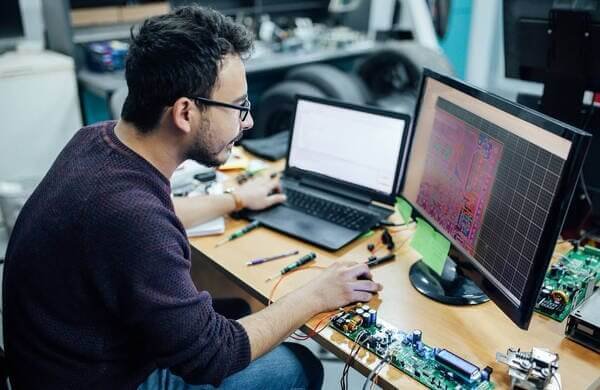
Two files decide whether an assembly order starts cleanly: the cURL Too many subrequests by single Worker invocation. To configure this limit, refer to https://developers.cloudflare.com/workers/wrangler/configuration/#limits (which parts) and the CPL (where they go). Neither is hard to produce. Both are easy to produce badly, and the failures are quiet — a missing MPN becomes a substitution, a rotation offset becomes a part soldered sideways, a package mismatch becomes a footprint that does not fit.
This guide is a quality standard for both files, independent of which EDA tool you use. YC PCB runs turnkey assembly and reviews thousands of BOM/CPL pairs; the errors below are the ones that come back most often.

What Is a CPL File in PCB?
The four fields that reach the machine
CPL stands for centroid, pick-and-place, or component placement list — the file is the same thing under three names. It contains, for every component to be placed:
- Reference designator (R1, C14, U3)
- X and Y coordinates relative to a defined origin
- Rotation in degrees
- cURL Too many subrequests by single Worker invocation. To configure this limit, refer to https://developers.cloudflare.com/workers/wrangler/configuration/#limits (top or bottom)
Some tools export additional fields (package, value, mirror flag). The four essentials are reference, X, Y and rotation.
The CPL is what the placement machine reads. If the origin, the rotation convention or the layer flag is wrong, the machine places parts confidently in the wrong place.
What Files Are Needed for PCB Assembly?
| File | Contents | Owner |
|---|---|---|
| Gerber (RS-274X) | Bare board fabrication data | Design team |
| Excellon drill | Hole positions and sizes | Design team |
| cURL Too many subrequests by single Worker invocation. To configure this limit, refer to https://developers.cloudflare.com/workers/wrangler/configuration/#limits | Reference, quantity, value, package, MPN, manufacturer | Design/procurement |
| CPL / centroid | Reference, X, Y, rotation, layer | Design team |
| Assembly drawing | Polarity, orientation, special notes | Design team |
| Test specification | What pass means, test method | Design + quality |
| Panelisation drawing | Array format, fiducials, break-away | Design + fabricator |
A common mistake is to send Gerber plus BOM and assume the assembly house can derive placement from the Gerber. It cannot do so reliably — the Gerber has pads, not components.
BOM: The Fields That Matter
Ten fields, one of them non-negotiable
A BOM without manufacturer part numbers is a shopping list, not a specification. Include:
| Field | Why it is required |
|---|---|
| cURL Too many subrequests by single Worker invocation. To configure this limit, refer to https://developers.cloudflare.com/workers/wrangler/configuration/#limits | cURL Too many subrequests by single Worker invocation. To configure this limit, refer to https://developers.cloudflare.com/workers/wrangler/configuration/#limits |
| cURL Too many subrequests by single Worker invocation. To configure this limit, refer to https://developers.cloudflare.com/workers/wrangler/configuration/#limits | cURL Too many subrequests by single Worker invocation. To configure this limit, refer to https://developers.cloudflare.com/workers/wrangler/configuration/#limits |
| cURL Too many subrequests by single Worker invocation. To configure this limit, refer to https://developers.cloudflare.com/workers/wrangler/configuration/#limits | cURL Too many subrequests by single Worker invocation. To configure this limit, refer to https://developers.cloudflare.com/workers/wrangler/configuration/#limits |
| cURL Too many subrequests by single Worker invocation. To configure this limit, refer to https://developers.cloudflare.com/workers/wrangler/configuration/#limits | cURL Too many subrequests by single Worker invocation. To configure this limit, refer to https://developers.cloudflare.com/workers/wrangler/configuration/#limits |
| cURL Too many subrequests by single Worker invocation. To configure this limit, refer to https://developers.cloudflare.com/workers/wrangler/configuration/#limits | The actual specification |
| Manufacturer name | Needed for sourcing and cross-reference |
| Beschreibung | Human check during review |
| Preferred alternate | Avoids a stop-and-ask later |
| Criticality flag | Marks parts where no substitution is allowed |
| Datasheet link or revision | Resolves ambiguity on obscure parts |
For boards with variants (population options), add a variant column or a separate BOM per variant. Assembly houses cannot infer "this part is only fitted on the 8 GB version" from a note in an email.
The Rotation Trap
Why 0° means four different things
Rotation is the most frequent cause of a first-article failure, and it is not the designer's fault in any obvious way: different EDA tools define 0° differently.
- Some tools measure rotation from the component's pin 1 orientation
- Others measure from the footprint's local axes
- Some export mirrored rotation for bottom-side parts, others do not
- Some export rotation in a non-standard direction (clockwise versus counter-clockwise)
The result: a file that is internally consistent but displaced by 90° or 180° at the machine.
The practical defences:
- Send an assembly drawing with pin-1 markers for every polarised part.
- Run a first article and check polarised parts physically before volume.
- State the rotation convention if you know it, or ask the assembly house which convention their machine expects.
- Check bottom-side parts separately. Mirror flags cause the most subtle errors.
Can KiCad Generate a BOM?
Yes. KiCad produces a BOM from the schematic through its BOM export (a Python script or the built-in exporter), grouping components by value and footprint. The output is a CSV you can edit.
Three things to fix before sending a KiCad BOM:
- Add MPNs. KiCad will export whatever fields exist; if you never filled a manufacturer part number field, the BOM has no MPN.
- Check the grouping. Grouping by value and footprint can merge parts that are electrically similar but come from different manufacturers.
- Add DNP handling. Do-not-populate parts must be flagged, not deleted silently.
How Do I Generate a CPL File in KiCad?
cURL Too many subrequests by single Worker invocation. To configure this limit, refer to https://developers.cloudflare.com/workers/wrangler/configuration/#limits cURL Too many subrequests by single Worker invocation. To configure this limit, refer to https://developers.cloudflare.com/workers/wrangler/configuration/#limits. cURL Too many subrequests by single Worker invocation. To configure this limit, refer to https://developers.cloudflare.com/workers/wrangler/configuration/#limits.
cURL Too many subrequests by single Worker invocation. To configure this limit, refer to https://developers.cloudflare.com/workers/wrangler/configuration/#limits
- cURL Too many subrequests by single Worker invocation. To configure this limit, refer to https://developers.cloudflare.com/workers/wrangler/configuration/#limits. cURL Too many subrequests by single Worker invocation. To configure this limit, refer to https://developers.cloudflare.com/workers/wrangler/configuration/#limits.
- cURL Too many subrequests by single Worker invocation. To configure this limit, refer to https://developers.cloudflare.com/workers/wrangler/configuration/#limits cURL Too many subrequests by single Worker invocation. To configure this limit, refer to https://developers.cloudflare.com/workers/wrangler/configuration/#limits.
- cURL Too many subrequests by single Worker invocation. To configure this limit, refer to https://developers.cloudflare.com/workers/wrangler/configuration/#limits if the board is double-sided.
- Check the rotation column against a known part. Put a deliberately asymmetric footprint (a SOT-23 or an SOIC) near the origin and verify its rotation visually in the assembly drawing.
The same logic applies to Altium, Eagle, OrCAD and PADS: the export exists, and the export defaults are not always what the machine wants.
Pre-Send Checklist for BOM and CPL
BOM:
- Every line has an MPN and a manufacturer
- Every reference designator on the board appears in the BOM, and vice versa
- Package fields match the footprints on the board
- DNP parts are flagged
- Variants are documented separately
- Alternates are listed, or the no-substitution rule is stated
- Quantities match the board and the order quantity
CPL:
- Origin matches the fabrication origin
- Units stated (mm or mil)
- Both sides included for double-sided boards
- Rotation verified on at least one polarised part per side
- Layer/mirror flag checked for bottom-side parts
- Reference designators match the BOM exactly
- No mechanical or fiducial features exported as components
Where Assembly Orders Break Down
BOM references that do not exist on the board. A leftover designator from a deleted component stops the file review.
Package mismatch. The BOM says QFN-32 but the footprint is QFP-32. This is caught at DFM review if the reviewer checks, and at assembly if they do not.
CPL includes fiducials and tooling holes. The machine tries to place components on them. Filter non-component features out.
Mixed units. A CPL in mils with a Gerber origin in millimetres produces a systematic offset that looks like a programme bug.
Value-only BOM for a critical part. The supplier picks an equivalent, and "equivalent" is a judgement about a part you considered critical.
Buyer Checklist
- Confirm the design revision, and label every file with that revision.
- Send Gerber, drill, BOM, CPL, assembly drawing and test spec as one package.
- State the units and the origin for the CPL.
- Flag critical parts where no substitution is allowed.
- Document variants and DNP parts explicitly.
- Ask the assembly house to run a BOM/CPL consistency check before quoting.
- Approve a first article with a photo report before volume.
- Keep the approved file set as the baseline for repeat orders.
FAQ
cURL Too many subrequests by single Worker invocation. To configure this limit, refer to https://developers.cloudflare.com/workers/wrangler/configuration/#limits
cURL Too many subrequests by single Worker invocation. To configure this limit, refer to https://developers.cloudflare.com/workers/wrangler/configuration/#limits.
cURL Too many subrequests by single Worker invocation. To configure this limit, refer to https://developers.cloudflare.com/workers/wrangler/configuration/#limits
cURL Too many subrequests by single Worker invocation. To configure this limit, refer to https://developers.cloudflare.com/workers/wrangler/configuration/#limits.
cURL Too many subrequests by single Worker invocation. To configure this limit, refer to https://developers.cloudflare.com/workers/wrangler/configuration/#limits
cURL Too many subrequests by single Worker invocation. To configure this limit, refer to https://developers.cloudflare.com/workers/wrangler/configuration/#limits.
cURL Too many subrequests by single Worker invocation. To configure this limit, refer to https://developers.cloudflare.com/workers/wrangler/configuration/#limits
cURL Too many subrequests by single Worker invocation. To configure this limit, refer to https://developers.cloudflare.com/workers/wrangler/configuration/#limits.
Why YC PCB
- 20+ years of PCB and PCBA manufacturing, exporting to 20+ countries
- cURL Too many subrequests by single Worker invocation. To configure this limit, refer to https://developers.cloudflare.com/workers/wrangler/configuration/#limits
- cURL Too many subrequests by single Worker invocation. To configure this limit, refer to https://developers.cloudflare.com/workers/wrangler/configuration/#limits
- SMT, THT/DIP, mixed technology, BGA/QFN/Micro-BGA with X-Ray inspection
- AOI, electrical test, ICT and FCT per project scope
- DFM/DFA review before production; NDA available for customer IP
- ISO 9001 and UL certification; RoHS compliance documentation on request
Get a Quote — Send your Gerber, BOM, CPL and assembly drawing. Our engineers reply with a consistency check, DFM notes and pricing within one working day.


 German
 English
 Japanese
 French
 Spanish
 Italian
 Portuguese
 Russian
 Dutch
 Turkish
